


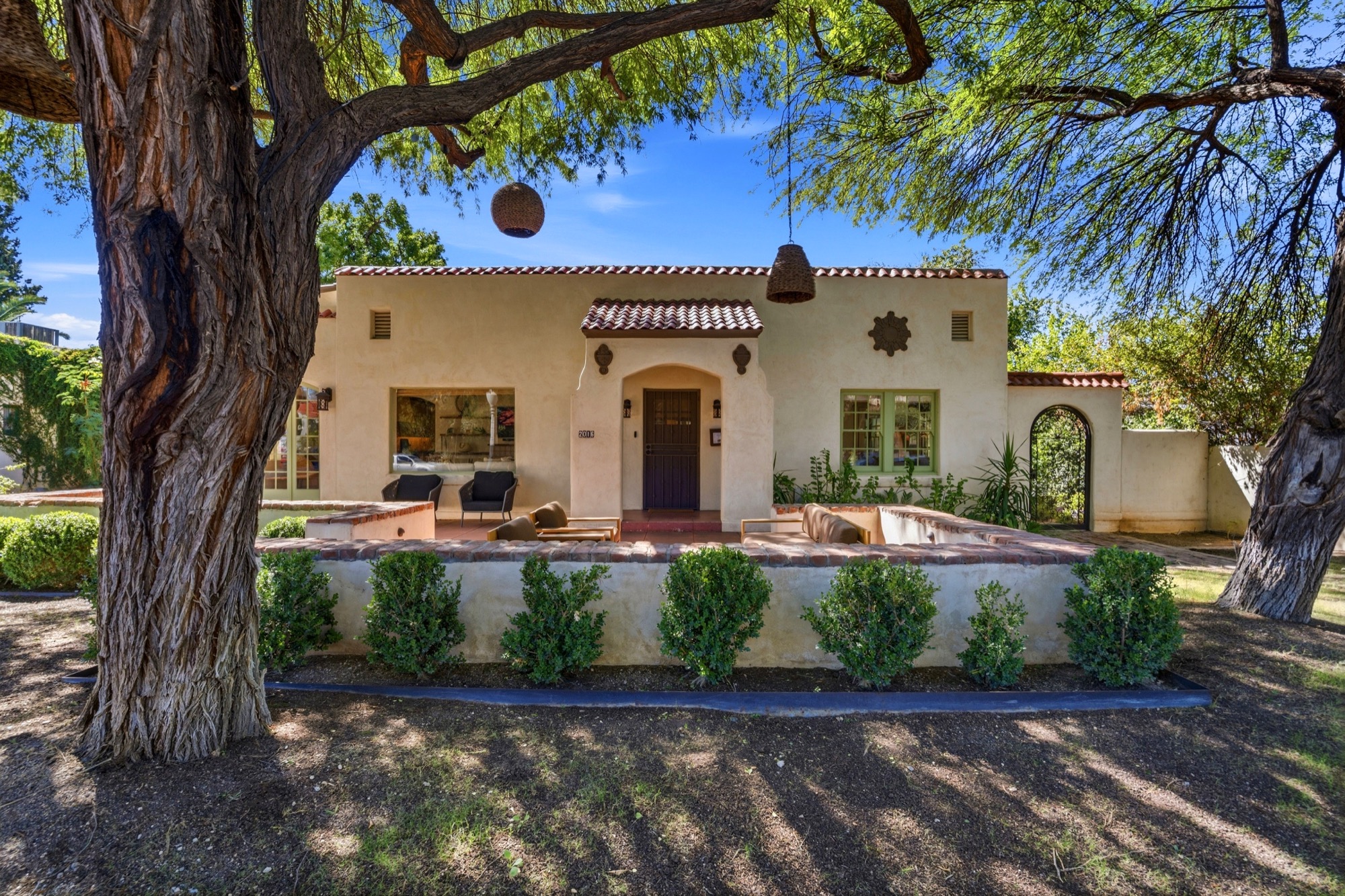
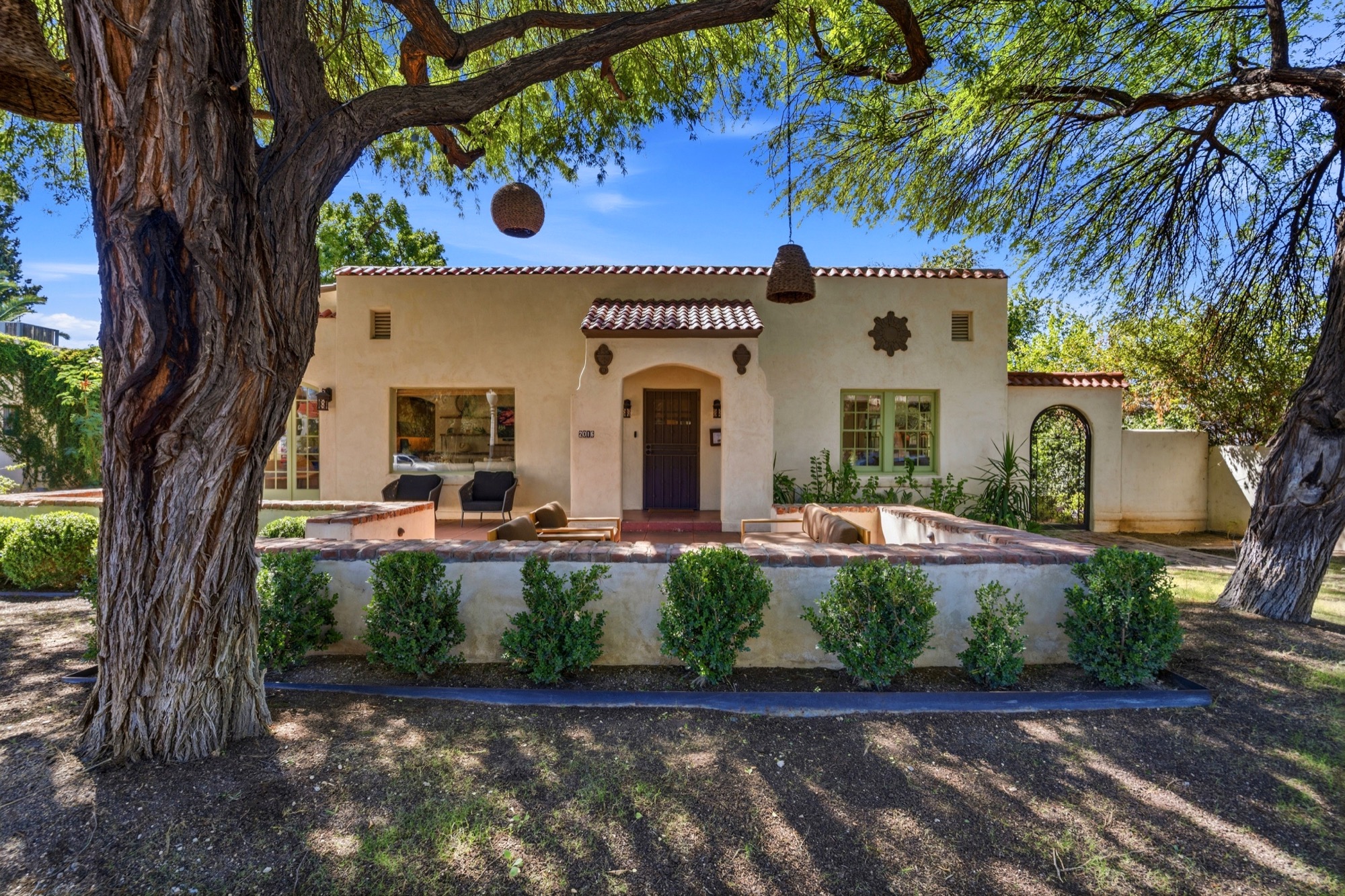
Real estate video helps buyers understand movement through a home: how the entry leads to the living room, where the patio connects and what the property feels like at a walking pace. For Tucson listings, that can be especially useful when courtyards, mountain views or indoor-outdoor living are central to the property.
Start with a clear purpose. Decide whether you need a guided property presentation, a short social introduction or an agent-led explanation before choosing a format. Video can support your marketing, but it does not guarantee views, offers or a faster sale.
Choose the format around the viewer
A property walkthrough
A walkthrough gives buyers a deliberate sequence of the main spaces. Establish the setting, move through the primary living areas and finish with a memorable feature. Include transitions that explain room connections rather than a collection of unrelated close-ups.
Short vertical clips
For social media, build each clip around one idea: a courtyard entry, a generous kitchen or a shaded outdoor dining area. Keep text readable on a phone and leave room for platform controls. Request vertical framing during planning; cropping a wide video later can cut out important features.
An agent introduction
An on-camera introduction can explain details that images alone do not convey. Prepare a short script focused on the property, check factual statements and choose a quiet recording area. Ask which branded and unbranded versions are needed for your intended listing platforms.
Build a useful shot list
Start with the entrance and overall exterior. Show how the kitchen, living room and main outdoor space connect. Then select a few architectural details, views or amenities that distinguish the home. Where the platform allows it, finish with a clear next step such as requesting a showing.
Share the address, approximate size and strongest features before the appointment. A casita or separate workshop may need its own sequence so viewers do not mistake it for part of the main house.
Prepare for motion, sound and reflections
Finish cleaning and staging before the videographer arrives. Remove loose cables and personal items, open the intended room connections and keep people and pets out of the filming route. Check mirrors and windows for reflected clutter. Test the lights you want visible, including patio and pool lighting if an evening segment is planned.
For a spoken introduction, silence televisions, music and noisy appliances where practical. If outdoor sound matters, tell the team in advance so the recording plan can account for wind and nearby activity.
Combine video with supporting media
Still photographs provide the listing gallery. A 3D tour lets viewers explore at their own pace, while drone imagery can explain the lot and surroundings. Choose each service for the question it answers.
Confirm deliverables before booking
Ask about the final length, horizontal and vertical versions, captions, music licensing, revision scope and delivery date. Confirm where you may use the files and whether hosting is included. These details make it easier to launch the listing on schedule.
Book real estate video with Better Faster Photo and share your property’s features and planned marketing channels. For a broader budget, see our Tucson photography pricing guide.

